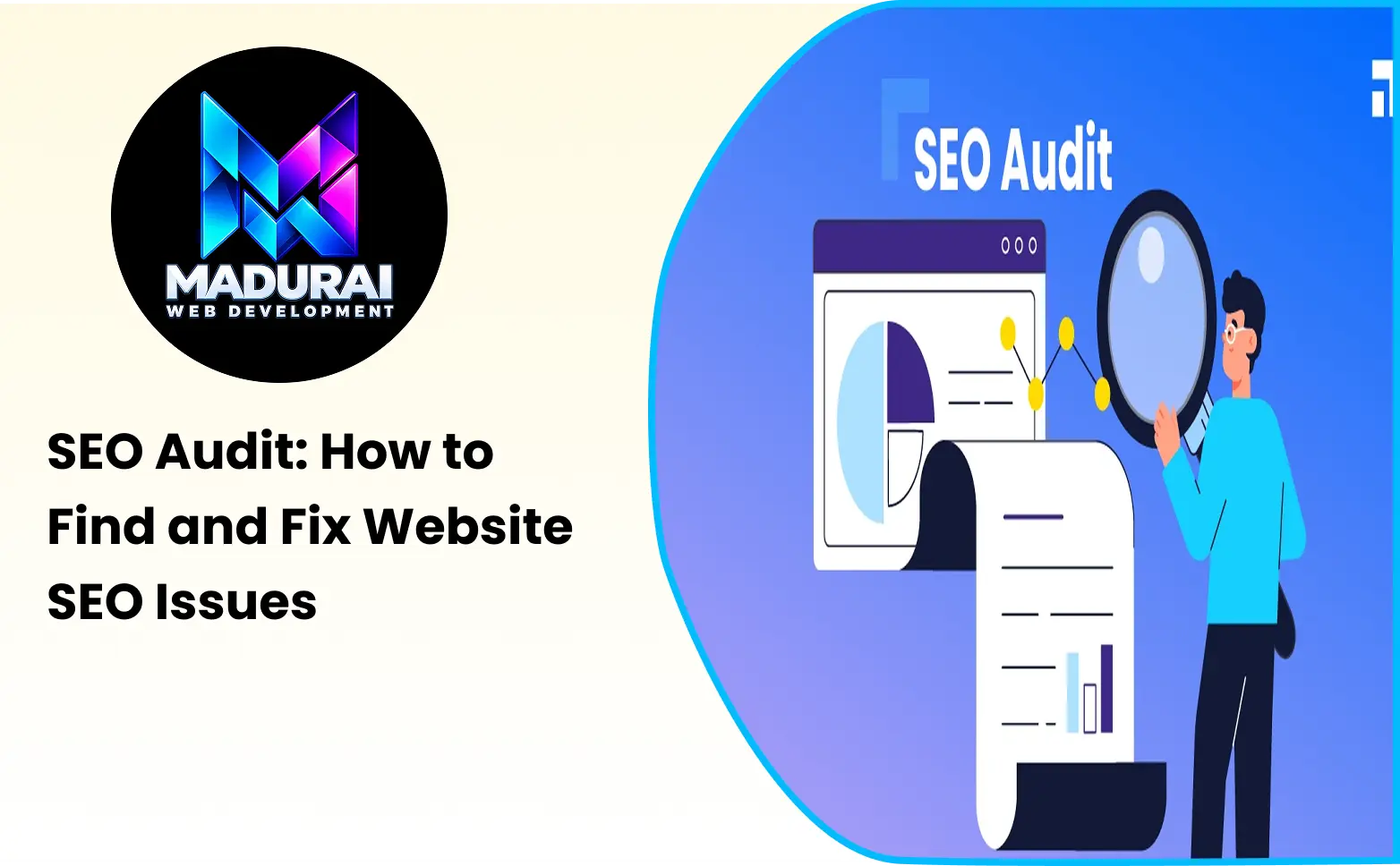
An SEO audit helps you understand how well your website performs in search engines and identify problems that may affect its visibility, rankings, and organic traffic. Even if your website has useful content and a good design, technical errors, missing metadata, broken links, or poor page structure can prevent search engines from understanding and ranking your pages effectively.
A proper SEO audit helps you identify these issues and prioritise the improvements that can make the biggest difference. Whether you manage a business website, blog, or e-commerce store, regularly checking your website's SEO performance can help you maintain a healthy online presence.
In this guide, you will learn what an SEO audit is, which areas you should check, how to use
SEO audit tools, and how to find and fix common website SEO issues step by step.
What Is an SEO Audit?
An SEO audit is the process of analysing a website to identify issues that may affect its performance in search engine results pages (SERPs). It examines different areas of your website, including technical SEO, on-page optimisation, content quality, internal links, backlinks, and mobile usability.
The main purpose of a website SEO audit is to understand what is working well and what needs improvement.
For example, an audit may identify:
- Pages that are not indexed by Google.
- Missing or duplicate title tags and meta descriptions.
- Broken internal and external links.
- Slow-loading website pages.
- Images without descriptive alt text.
- Duplicate or thin content.
- Mobile usability problems.
- Incorrect redirects and canonical tags.
By identifying these problems, you can create a clear action plan to improve your website's search visibility and user experience.
Why Is an SEO Audit Important?
Search engine optimisation involves several activities, and small problems can affect the overall performance of a website. An SEO audit helps you identify these problems before they become bigger issues.
Here are some important reasons to perform an SEO audit.
1. Identify Website SEO Issues
An audit helps you find technical errors, content problems, broken links, missing metadata, and other issues that may affect your website's search performance.
2. Improve Search Engine Visibility
Search engines need to crawl, understand, and index your website pages. Fixing technical and on-page SEO problems can make it easier for search engines to discover and understand your content.
3. Improve User Experience
A website with slow-loading pages, confusing navigation, or mobile usability problems can frustrate visitors. An SEO audit helps identify these issues so you can create a better browsing experience.
4. Find Content Improvement Opportunities
An audit helps you identify outdated information, duplicate content, missing topics, and pages that do not fully answer users' questions.
5. Understand Competitor Performance
By comparing your backlink profiles, content coverage, and keyword visibility with competitors, you can identify opportunities to improve your SEO strategy.
6. Monitor Website SEO Performance
Regular audits help you track improvements, identify newly developed issues, and maintain your website's overall SEO health.
How to Do an SEO Audit: Step-by-Step Guide
Performing an SEO audit does not always require advanced technical knowledge. You can start with a few free tools and gradually examine the important areas of your website.
Follow these steps to conduct a basic website SEO audit.
Step 1: Check Website Indexing in Google
The first step is to check whether Google can discover and index your important website pages.
If a page is not indexed, it generally cannot appear in Google's organic search results.
You can check your website's indexed pages by using the following Google search:
site:yourwebsite.comReplace yourwebsite.com with your actual domain name.
For a more detailed analysis, use Google Search Console.
How to check indexing in Google Search Console:
- Open Google Search Console.
- Select your website property.
- Navigate to the Pages report under Indexing.
- Review indexed and non-indexed pages.
- Check the reasons Google provides for pages that are not indexed.
- Investigate important URLs using the URL Inspection tool.
Common indexing issues:
- Page blocked by robots.txt.
- Page marked with a noindex directive.
- Page not found (404 error).
- Server errors (5xx).
- Duplicate pages without a selected canonical URL.
- Discovered but currently not indexed pages.
How to fix them:
Check whether the page should be indexed. Remove an incorrect noindex directive, correct robots.txt restrictions, fix server errors, and improve internal linking where necessary. If a page is intended to appear in search results, make sure it is accessible and provides useful content.
Step 2: Check Website Technical SEO
Technical SEO focuses on the technical elements that help search engines crawl, render, and index your website.
A technical SEO audit helps identify problems that may prevent search engines and users from accessing your pages properly.
Check the following technical SEO elements:
- XML sitemap availability.
- Robots.txt configuration.
- HTTPS security.
- Website redirects.
- Broken pages and 404 errors.
- Canonical tags.
- Mobile responsiveness.
- Website loading performance.
- Structured data implementation.
How to fix common technical SEO issues:
| SEO Issue | How to Fix It |
|---|---|
| Missing XML sitemap | Create an XML sitemap and submit it through Google Search Console. |
| Incorrect robots.txt rules | Review the file and remove unintended crawling restrictions. |
| HTTP pages | Configure HTTPS across the website and update internal links. |
| Broken URLs | Restore the missing page or redirect it to a relevant replacement. |
| Incorrect canonical tags | Add the correct canonical URL to duplicate or similar pages. |
| Redirect chains | Update redirects to point directly to the final destination. |
| Mobile usability problems | Improve responsive design and mobile navigation. |
Always verify that technical changes do not accidentally block important pages from search engines.
Step 3: Perform an On-Page SEO Audit
On-page SEO involves optimising individual website pages so that search engines and visitors can understand their content.
An on-page SEO audit helps you identify missing or poorly optimised elements.
Check these important on-page SEO factors:
1. Page Title
Every important page should have a unique and descriptive title that explains its main topic.
Avoid duplicate titles and unnecessary keyword repetition.
2. Meta Description
Write a clear meta description that summarises the page and encourages users to visit it from search results.
3. Heading Structure
Use headings in a logical order:
- H1 for the main page heading.
- H2 for major sections.
- H3 for supporting topics under H2 sections.
Use headings to organise content rather than simply to include keywords.
4. URL Structure
Create short, descriptive URLs that explain the page topic.
For example:
Good URL: example.com/seo-audit-checklist
Avoid unnecessarily long URLs containing random numbers or repeated keywords.
5. Image Optimisation
Use descriptive image file names, relevant alt text, and appropriately sized image files.
6. Internal Linking
Link related pages naturally so visitors can discover useful information and search engines can understand the relationship between your pages.
How to fix on-page SEO issues:
- Write unique page titles and meta descriptions.
- Include the primary keyword naturally in relevant page elements.
- Organise content using descriptive headings.
- Improve unclear or lengthy URLs where appropriate.
- Add descriptive alt text to meaningful images.
- Link related pages using relevant anchor text.
- Update outdated information and improve incomplete content.
Step 4: Analyse Website Content Quality
Content quality is an important part of SEO. A page should provide useful information that satisfies the reason behind a user's search.
During a website SEO analysis, review whether your content answers the questions visitors are looking for.
Look for the following content issues:
- Thin or incomplete content.
- Duplicate or highly similar pages.
- Outdated information.
- Missing important subtopics.
- Unclear headings.
- Excessive keyword usage.
- Content that does not match search intent.
How to improve content quality:
- Identify the main search intent behind each target keyword.
- Review the questions users expect the page to answer.
- Add useful explanations and relevant examples.
- Remove unnecessary or repetitive information.
- Update outdated facts and references.
- Add relevant internal links to supporting pages.
- Make the content easy to read on desktop and mobile devices.
Avoid increasing word count just to make a page longer. Focus on answering the user's question clearly and completely.
Step 5: Check Website Speed and Core Web Vitals
Website speed affects how visitors experience your website. Pages that load slowly can make users leave before they find the information they need.
Google also uses Core Web Vitals as part of its page experience evaluation.
The three main Core Web Vitals metrics are:
| Metric | What It Measures | Good Target |
|---|---|---|
| Largest Contentful Paint (LCP) | Loading performance of the main content | 2.5 seconds or less |
| Interaction to Next Paint (INP) | Responsiveness to user interactions | 200 milliseconds or less |
| Cumulative Layout Shift (CLS) | Visual stability of the page | 0.1 or less |
How to check website speed:
- Open Google PageSpeed Insights.
- Enter your website URL.
- Run the performance analysis.
- Review mobile and desktop results.
- Check the Core Web Vitals assessment.
- Review the recommended improvements.
How to fix common website speed issues:
- Compress large images.
- Use modern image formats such as WebP or AVIF where supported.
- Reduce unnecessary JavaScript and CSS.
- Enable browser caching.
- Use a reliable hosting environment.
- Reduce unnecessary third-party scripts.
- Implement lazy loading for below-the-fold images.
- Reserve image and advertisement space to reduce layout shifts.
Prioritise issues that affect important pages and real user experience.
Step 6: Review Internal Links and Broken Links
Internal links connect different pages within the same website. They help visitors navigate your content and help search engines discover related pages.
Broken links can create a poor user experience and make it harder for search engines to access important content.
During your SEO audit, check for:
- Internal links pointing to 404 pages.
- Pages with no internal links pointing to them.
- Important pages buried too deep in the website structure.
- Unclear anchor text.
- Unnecessary redirect chains.
How to fix internal linking issues:
- Identify important pages that receive very few internal links.
- Find relevant pages that can link to them.
- Add natural, descriptive anchor text.
- Replace broken links with valid URLs.
- Remove unnecessary links to irrelevant pages.
- Ensure important pages are accessible through website navigation or contextual links.
Internal links should help users discover related information rather than exist only for search engine optimisation.
Step 7: Analyse Website Backlinks
Backlinks are links from other websites pointing to your website. They can help search engines discover your content and understand your website's reputation and authority.
A backlink analysis helps you understand your website's link profile and identify opportunities for improvement.
Check the following backlink factors:
- Total backlinks.
- Referring domains.
- Link quality and relevance.
- Follow and nofollow links.
- Lost and newly acquired backlinks.
- Competitor backlink profiles.
- Potentially unnatural backlink patterns.
SEO audit tools for backlink analysis:
You can use tools such as Semrush Backlink Analytics and Google Search Console's Links report to review backlink information.
How to improve your backlink profile:
- Create useful content that other websites may want to reference.
- Build relationships with relevant websites in your industry.
- Find relevant guest-posting opportunities.
- Identify broken backlinks pointing to your website.
- Review suspicious backlink patterns before taking action.
Do not remove or disavow backlinks simply because a tool labels them as toxic. Investigate whether there is an actual link-related issue before taking action.
Step 8: Check Mobile-Friendliness
Many users access websites through smartphones and tablets. Your website should provide a smooth browsing experience across different screen sizes.
During a mobile SEO audit, check:
- Responsive page layouts.
- Readable font sizes.
- Mobile navigation.
- Button and link spacing.
- Image scaling.
- Content visibility.
- Mobile page performance.
How to fix mobile usability issues:
- Use a responsive website design.
- Make text readable without unnecessary zooming.
- Ensure buttons are easy to tap.
- Avoid horizontal scrolling.
- Optimise images for smaller screens.
- Check menus and forms on mobile devices.
Test important pages on different screen sizes instead of relying only on how they appear on a desktop.
Best SEO Audit Tools to Find Website SEO Issues
Using the right SEO audit tools makes it easier to identify website problems and understand what needs improvement.
You do not need to purchase every SEO tool. Start with free tools and choose paid solutions when you need more detailed analysis.
1. Google Search Console
Google Search Console is a free tool from Google that helps website owners monitor their website's performance in Google Search.
Important features:
- Search performance reports.
- Page indexing information.
- Sitemap submission.
- URL inspection.
- Core Web Vitals reports.
- Links report.
It is especially useful for understanding how Google discovers and indexes your website.
2. Google Analytics 4
Google Analytics 4 helps you understand how visitors interact with your website.
Important features:
- Website traffic analysis.
- User engagement reports.
- Traffic acquisition.
- Landing page performance.
- Conversion tracking.
It can help you understand visitor behaviour and identify pages that may need content or user experience improvements.
3. Google PageSpeed Insights
PageSpeed Insights analyses individual URLs and provides performance information for mobile and desktop devices.
Important features:
- Performance scores.
- Core Web Vitals assessment.
- Loading performance analysis.
- Recommendations for improvement.
- Field and lab data where available.
4. Semrush Site Audit
Semrush Site Audit is a website auditing tool that crawls your website and identifies different technical and on-page SEO issues.
Important features:
- Site health monitoring.
- Crawlability analysis.
- HTTPS checks.
- Internal linking analysis.
- Duplicate content detection.
- Technical SEO recommendations.
It is useful for identifying website issues across multiple pages.
5. Screaming Frog SEO Spider
Screaming Frog SEO Spider is a website crawler that helps analyse important technical SEO elements.
Important features:
- Broken link identification.
- Page title and meta description analysis.
- Redirect checks.
- Heading analysis.
- Canonical URL checks.
- Image optimisation analysis.
It is particularly useful for analysing larger websites with many URLs.
6. Ahrefs Site Audit
Ahrefs Site Audit helps website owners identify technical and on-page SEO issues through website crawling.
Important features:
- Technical SEO analysis.
- Internal link checks.
- HTML tag analysis.
- Redirect issues.
- Content-related checks.
- Website health monitoring.
It can help you understand technical problems and prioritise improvements.
Free SEO Audit vs Paid SEO Audit Tools
Free and paid SEO audit tools can both help you identify website issues. The right choice depends on your website size, SEO requirements, and the level of analysis you need.
| Feature | Free SEO Audit Tools | Paid SEO Audit Tools |
|---|---|---|
| Basic website checks | Available | Available |
| Google indexing information | Available through Search Console | Additional analysis may be available |
| Website performance testing | Available | Available |
| Technical website crawling | Often limited | More advanced crawling options |
| Backlink analysis | Limited | More detailed backlink reports |
| Competitor analysis | Limited | Advanced competitor research |
| Reporting | Basic reports | More detailed reporting |
| Monitoring | Tool-dependent | Often includes ongoing monitoring |
Which should you choose?
If you own a small website or are learning SEO, start with free tools such as Google Search Console, Google Analytics 4, and PageSpeed Insights.
If you manage a large website, multiple projects, or client websites, paid platforms such as Semrush and Ahrefs can provide additional crawling, competitor research, and reporting capabilities.
SEO Audit Checklist: What Should You Check?
Use this SEO audit checklist to review the most important areas of your website.
Technical SEO Checklist
- Website uses HTTPS.
- XML sitemap is available and submitted.
- Robots.txt file is configured correctly.
- Important pages are accessible to search engines.
- Unwanted noindex directives are removed.
- Broken URLs and server errors are checked.
- Canonical tags are implemented correctly.
- Redirects are working properly.
- Website is mobile-friendly.
On-Page SEO Checklist
- Every important page has a unique title tag.
- Meta descriptions are relevant and descriptive.
- Pages have a clear H1 heading.
- Heading structure is organised logically.
- Target keywords are used naturally.
- URLs are descriptive and readable.
- Images have appropriate alt text.
- Internal links point to relevant pages.
Content SEO Checklist
- Content matches the target search intent.
- Information is accurate and updated.
- Content answers the main user questions.
- Duplicate and thin content is reviewed.
- Important topics are covered.
- Content is easy to read and understand.
- Relevant internal links are included.
Performance and Backlink Checklist
- Important pages are tested using PageSpeed Insights.
- Core Web Vitals are reviewed.
- Large images are optimised.
- Unnecessary scripts are reduced.
- Backlinks and referring domains are reviewed.
- Lost backlinks are monitored.
- Unnatural backlink patterns are investigated.
Common SEO Issues and How to Fix Them
Some website SEO issues occur more frequently than others. Understanding these problems can help you prioritise your audit.
| Common SEO Issue | Why It Matters | Recommended Solution |
|---|---|---|
| Missing title tags | Search engines and users receive less information about the page topic. | Add unique, descriptive titles. |
| Duplicate meta descriptions | Multiple pages may have unclear or repetitive search snippets. | Write relevant descriptions for important pages. |
| Broken links | Visitors may reach unavailable pages. | Fix links or redirect URLs where appropriate. |
| Slow page loading | Visitors may experience delays. | Optimise images, scripts, and server performance. |
| Duplicate content | Search engines may struggle to identify the preferred version of similar pages. | Review content and use canonical tags where appropriate. |
| Missing alt text | Images may be less accessible and harder to understand from their text descriptions. | Add descriptive alt text to meaningful images. |
| Poor internal linking | Important pages may be difficult to discover. | Add relevant contextual links. |
| Incorrect redirects | Users and crawlers may reach unexpected URLs. | Correct redirect destinations and remove unnecessary chains. |
| Mobile usability problems | Visitors may struggle to use the website on smaller screens. | Improve responsive layouts and navigation. |
How Often Should You Perform an SEO Audit?
The frequency of an SEO audit depends on your website size, content updates, and technical complexity.
Here is a practical schedule:
| Website Type | Suggested Audit Frequency |
|---|---|
| Small business website | Every 3–6 months |
| Blog or content website | Every 3 months |
| E-commerce website | Monthly |
| Large business website | Monthly or after major changes |
| Website after a redesign | Immediately after launch |
You should also perform an additional audit after major website changes, such as a domain migration, redesign, URL structure update, or significant content migration.
Regular monitoring helps you detect issues early rather than waiting until they affect your organic search performance.
What Should You Fix First After an SEO Audit?
An SEO audit may identify dozens or even hundreds of issues. However, fixing every warning at once is not always necessary.
Prioritise issues based on their impact, importance, and the number of pages affected.
A useful order is:
- Critical indexing and crawling problems: Fix accidental noindex directives, blocked important pages, and serious server errors.
- Broken URLs and redirects: Resolve broken pages and incorrect redirect destinations.
- Important on-page SEO issues: Improve missing titles, duplicate metadata, and unclear headings.
- Website performance: Address major loading and Core Web Vitals problems.
- Content quality: Update outdated content and improve pages that do not satisfy search intent.
- Internal linking: Strengthen connections between related and important pages.
- Backlink opportunities: Review your backlink profile and build relevant, useful links.
This approach helps you focus on improvements that matter most instead of spending time fixing minor warnings first.
Conclusion
An SEO audit is an important part of maintaining a healthy and search-friendly website. It helps you identify technical problems, improve on-page elements, review content quality, analyse backlinks, and understand website performance.
You can start with free SEO audit tools such as Google Search Console, Google Analytics 4, and PageSpeed Insights. As your website grows, tools such as Semrush, Ahrefs, and Screaming Frog can provide more detailed analysis.
The most important step is to turn audit findings into practical improvements. Review your website regularly, fix high-impact issues first, and make sure every important page provides a useful experience for visitors.