
Healthcare Website Design Services in Madurai
When someone visits a hospital or clinic website, they are usually trying to make a practical decision. They may want to know which doctor treats a condition, whether a department is available, where the clinic is located or how to request an appointment. If these details are difficult to find, the visitor may leave without contacting the healthcare team.
A healthcare website should answer these questions in a calm, organised and dependable way. It needs to explain services clearly, present medical professionals accurately and make essential contact information easy to reach on both mobile phones and computers.
Madurai Web Development plans websites for hospitals, clinics, individual doctors, diagnostic centres and speciality healthcare providers. The scope can include doctor profiles, department and treatment pages, appointment enquiries, facility information, location details and a content management system suited to the organisation's day-to-day updates.
If you are comparing a hospital website design company in Madurai or planning a new clinic website, we can discuss the people who will use it, the information they need and the features your team can realistically maintain.
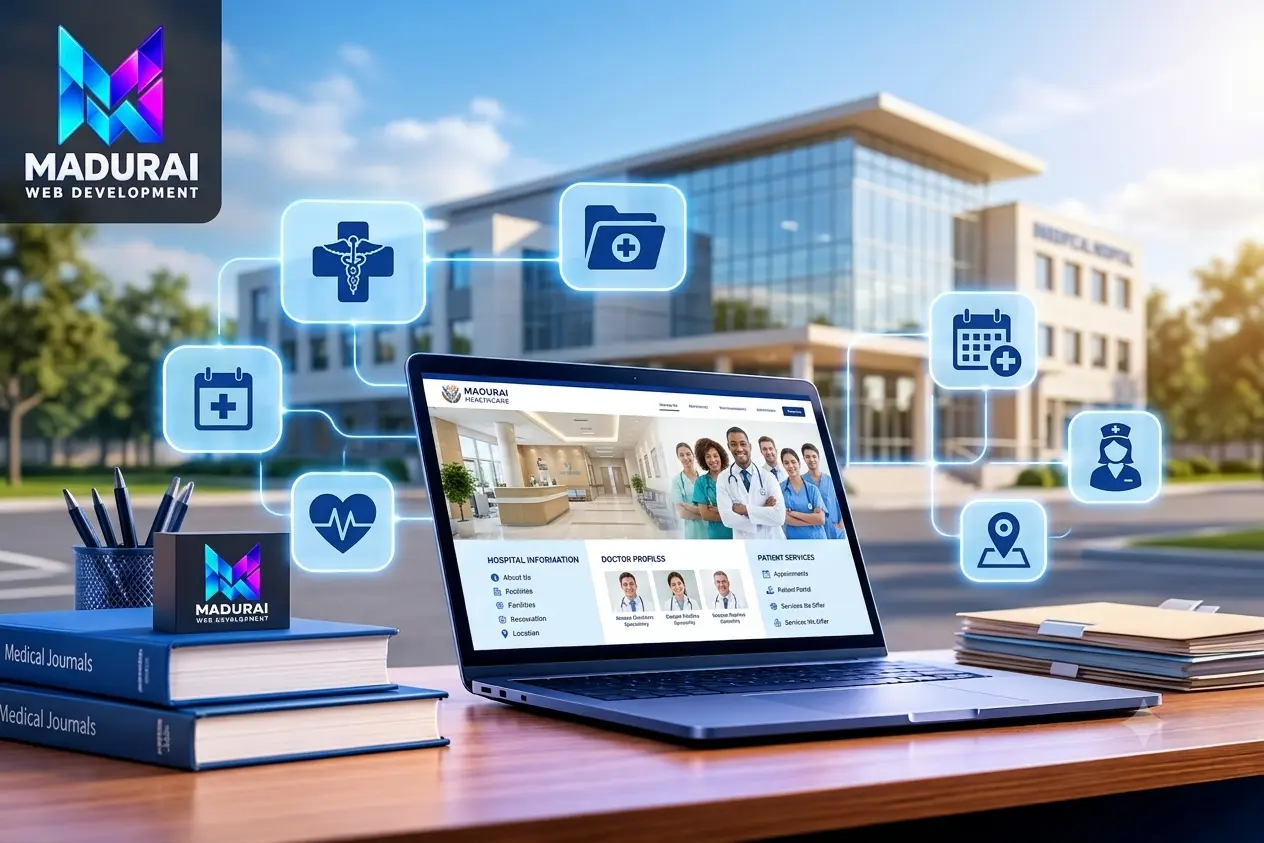
Hospital and Healthcare Website Development Services
Build a Useful Online Resource for Patients and Healthcare Teams
A single-doctor clinic and a multi-speciality hospital do not need the same website structure. A clinic may need a clear introduction, consultation details and a simple appointment enquiry route. A larger hospital may need department directories, multiple doctor profiles, facility information, patient guidance and links to existing systems.
Our healthcare website development in Madurai is scoped around the services you provide and the information your visitors need—not around adding features that your team will not use.
Hospital Website Design and Development
Present the hospital's departments, specialities, doctors, facilities, patient guidance and contact information through a consistent website structure. Visitors should be able to move from a department to the relevant doctor or enquiry option without having to search through unrelated pages.
The homepage can highlight important services, location details and key actions while leaving detailed medical information on dedicated pages.
Clinic Website Design
A clinic website can explain the type of care offered, consultation timings, doctor information, address, directions and appointment process. The content should be appropriate to the clinic's speciality and the questions patients commonly ask before visiting.
This is suitable for independent practices, speciality clinics and small healthcare centres that need a clear online presence.
Doctor Profile and Specialist Pages
Individual profiles can display a doctor's name, qualifications, speciality, experience details supplied by the provider, languages, consultation location and appointment route.
Accurate profile information helps visitors identify the right professional. Credentials and clinical claims should always be checked and approved by the healthcare organisation.
Department and Treatment Information
Dedicated pages can explain each department's services, available facilities, specialist team and relevant patient guidance. Treatment pages should use clear language and approved medical content rather than unsupported promises or guaranteed outcomes.
Related pages can link patients to the appropriate department and contact route.
Appointment Enquiry and Contact Forms
Website forms can allow visitors to request a callback or submit a general appointment enquiry. The form can collect only the information the hospital or clinic needs to respond.
Live slot selection, payments or confirmed bookings require a review of the existing appointment platform and its integration options.
Healthcare Website Redesign and Maintenance
An older website may contain outdated doctor details, confusing menus, broken forms or pages that are difficult to use on a phone. A review can identify what needs to be corrected before a redesign begins.
Post-launch support can cover agreed updates, backups, security checks, form testing and technical maintenance.
What Do Patients Need to Find on a Healthcare Website?
Organise Pages Around Real Questions, Not Just Department Names
A visitor may arrive from a Google search, a shared link or a hospital's social media profile. They may not know the internal name of a department. The website should therefore use familiar labels and make the next useful step clear.
During planning, we consider the main visitor journeys and decide which details belong on public pages, which need a direct enquiry and which should remain inside a secure patient system.
Finding the Right Doctor
Visitors may search by speciality, doctor's name or treatment area. A well-organised doctor directory can show relevant qualifications, consultation location and how to contact the practice.
Search and filter options can be considered when the provider has a large medical team.
Understanding a Department
Patients may want to know whether a hospital provides a particular speciality, diagnostic service or treatment. Department pages should explain the service and identify the appropriate contact route.
Use approved, specific information instead of vague claims about medical outcomes.
Checking Before a Visit
Clinic timings, address, parking or transport guidance, visiting instructions and contact numbers can help people prepare for a visit.
These practical details should be easy to locate and reviewed whenever the organisation changes them.
Requesting an Appointment
A visitor should understand whether the website offers a request form, a phone enquiry or a link to an external booking system.
Explain what happens after a form is submitted; do not imply that an appointment is confirmed unless the connected system confirms it.
Learning About Facilities
Information about laboratories, imaging, inpatient facilities, emergency services and other amenities can help visitors understand what is available at the location.
Publish only facilities and service hours that the provider has verified.
Contacting the Correct Team
Different questions may need different contact points, such as appointments, billing, general enquiries or department reception.
Clear labels and working contact details reduce confusion for visitors and staff.
Essential Features for a Hospital or Clinic Website
Choose Functions That Support Patient Enquiries and Daily Operations
A long feature list does not automatically make a website more useful. Each function should solve a clear problem for visitors or staff, and someone should be responsible for keeping its information accurate.
Doctor Directory
Organise profiles by speciality, department or location. Use consistent details so visitors can compare the information they need without relying on incomplete biographies.
Department Pages
Give each major department a dedicated page for its services, team, facilities, location and relevant enquiry route. This also gives search visitors a more useful landing page than a generic homepage.
Treatment and Service Pages
Explain the care or service provided in plain language, with medically reviewed content and appropriate next steps. Avoid guarantees, exaggerated claims or advice that should come from a clinician.
Appointment Enquiry Forms
Collect a name, contact method and limited appointment context where needed. Keep the form short and explain how the clinic will respond.
Emergency and Important Contacts
Display verified emergency contact instructions and important phone numbers prominently. Make it clear which number is for emergencies and which is for routine enquiries.
Location and Visit Information
Include the correct address, map link, operating hours and practical visit instructions. Check that the information matches the organisation's official business listings.
Health Articles and Patient Guides
Publish reviewed educational material, preparation instructions and general service information where appropriate. Medical content should identify its reviewer or source when the organisation can provide that information.
Content Management System
Allow authorised staff to update doctor availability, department details, announcements and other approved content without editing page code. Permissions should match staff responsibilities.
Language and Accessibility Options
Where patients use more than one language, plan translations and content ownership. Readable text, labelled forms, keyboard access and suitable colour contrast make the site easier for more people to use.
Appointment Booking and Healthcare System Integration
Connect the Website to Existing Tools Only Where It Makes Sense
A public website and a hospital's internal software have different roles. The website explains services and helps visitors make contact. Internal systems may manage appointments, patient records, billing, laboratory workflows or other operational tasks.
If your organisation already uses hospital management software, a booking platform or a CRM, we first review the available integration methods. The right approach may be a secure link, an embedded service or an API connection, depending on the provider and technical access.
Appointment Management
Connect visitors to an existing booking service or create an enquiry flow for staff follow-up. Real-time availability and confirmed booking status depend on the appointment system.
Hospital Management Software
Review supported APIs and vendor documentation before planning an integration. Data exchange should be limited to the functions and information the organisation has authorised.
CRM and Enquiry Routing
Website enquiries may be sent to an approved email address or CRM workflow. Decide who receives each enquiry, how follow-up is assigned and how long submitted information is retained.
Laboratory and Diagnostic Services
Where supported, the website can link to a diagnostic provider's patient portal or service platform. Test access and responsibilities with the existing provider before launch.
Payment Service Links
If online payments are required, use an approved payment provider and confirm transaction handling, refund processes and security responsibilities. Avoid collecting card details directly through an ordinary website form.
Maps and Communication Tools
Provide map directions and suitable contact options such as phone or WhatsApp where the organisation uses them. Keep routine enquiries separate from emergency instructions.
Should Patient Records Be Collected Through the Public Website?
Not by default. A general appointment enquiry form should not ask visitors to submit detailed medical histories, reports or sensitive records unless a properly assessed and secured workflow is in place.
We recommend identifying what information is genuinely needed, where it will be stored, who can access it and whether an existing patient portal is more appropriate. Security and regulatory responsibilities must be assessed for the actual system and jurisdiction; a website build alone does not certify compliance.
Manage Doctor Profiles, Services and Hospital Updates
Give the Right Staff a Practical Way to Keep Website Information Current
Healthcare information changes. Doctors may join or leave, consultation schedules can change, departments may introduce services and contact details need correction. If every small update requires a developer, the website can quickly become outdated.
A content management setup can give authorised staff control over selected sections while keeping important publishing permissions with the organisation.
Doctor Profile Updates
Provide structured fields for approved profile details, specialities, qualifications and consultation information. Assign a person to verify changes before they are published.
Department and Service Editing
Use reusable layouts for department and service pages so information stays consistent as the hospital grows or updates its offerings.
Announcements and Notices
Publish changes to timings, temporary service arrangements and general notices with dates. Remove or archive outdated notices so visitors are not misled.
Role-Based Access
Give staff access only to the content they are responsible for. Separate routine editing permissions from administrator-level settings.
Review and Approval
Where needed, route medical or service content through an authorised reviewer before publication. This is especially important for clinical claims and patient guidance.
Staff Handover
Provide guidance for updating profiles, replacing images, editing contact information and publishing notices. Agree who will handle technical issues after launch.
Patient-Friendly Healthcare Website Design for Mobile and Desktop
Make Important Details Easy to Read and Simple to Reach
Many people open a hospital website on a phone while travelling, arranging care for a family member or checking a doctor's details. They may be under time pressure or unfamiliar with medical terminology. The design should help them find information without unnecessary steps.
Responsive layouts are important, but usability also depends on readable content, clear page labels, accessible controls and reliable contact links.
Simple Navigation
Group information into familiar sections such as Doctors, Departments, Treatments, Facilities, Patient Information and Contact. Avoid menus that force visitors to understand internal hospital structures.
Mobile-Friendly Contact Actions
Make phone numbers, map directions and enquiry links easy to use on touchscreens. Keep important contact information visible without covering the page content.
Readable Medical Information
Use descriptive headings, short paragraphs and explanations for unfamiliar terms. Long patient guides can be divided into clear steps or topics.
Accessible Forms and Controls
Use clear field labels, keyboard-friendly controls, visible focus states and helpful error messages. Do not rely on colour alone to communicate form status.
Optimised Images and Performance
Resize and compress images, load only necessary scripts and review third-party embeds. Large banners and galleries should not prevent visitors from reaching essential information quickly.
Consistent Visual Design
Use a consistent system for headings, buttons, doctor profiles and department pages. A calm and organised presentation helps visitors understand the site and move between sections.
Healthcare Website SEO, Local Search and Answer-Friendly Content
Help People Find the Relevant Doctor, Department or Healthcare Service
A healthcare website can have many pages, but each page needs a clear purpose. A department page should explain that department. A doctor profile should provide verified professional information. A clinic location page should help visitors understand where the practice is and how to contact it.
Our website planning considers technical SEO, local search information and content clarity so people and search systems can understand what each page offers. Search visibility cannot be guaranteed, but a well-structured site gives useful content a stronger technical and editorial foundation.
Separate Pages for Distinct Services
Create useful pages for actual departments, specialities, doctors and locations where there is enough unique information. Avoid publishing near-identical pages just to target small keyword variations.
Madurai Local Search Signals
Keep the organisation's name, address, phone number and operating details accurate. Add location context naturally where it helps visitors understand the service area.
Clear Titles and Headings
Use page titles and headings that describe the real service. A page about a cardiology department should explain that department rather than repeat a broad hospital introduction.
Useful Medical Content
Provide clear, reviewed explanations of services and patient processes. Identify the healthcare provider or qualified reviewer where appropriate, and avoid unsupported medical claims.
Technical Search Readiness
Review crawlable links, canonical URLs, XML sitemap inclusion, redirects, image alternatives, mobile usability, page speed and indexation settings before launch.
Structured Data and Direct Answers
Use relevant structured data that matches visible page content. Answer common questions directly and accurately; structured data does not guarantee enhanced search results or AI citations.
Healthcare Website Security, Privacy and Maintenance
Treat Patient Information and Public Website Content With Appropriate Care
A healthcare website may contain public service information, enquiry forms and links to systems that handle sensitive records. These should not all be treated alike. The data collected, storage method, staff access and third-party connections need to be considered before a feature is enabled.
HTTPS and Secure Access
Use HTTPS and protect administrator accounts with individual access and appropriate permissions. Review access when staff responsibilities change.
Minimal Form Data
Collect only what is needed for the stated enquiry. Avoid asking for detailed health information through a general contact form.
Backups and Recovery
Agree backup frequency, storage and restoration responsibilities. Periodically check that backups can be restored rather than assuming that a scheduled backup is sufficient.
Software Updates
Review framework, CMS, plugin and server updates. Test forms, navigation and integrations after changes, especially before applying updates to a live site.
Form and Link Testing
Check that appointment enquiries reach the correct team and that phone, map, portal and payment links continue to work.
Content Accuracy Reviews
Review doctor details, clinic hours, department services, emergency instructions and patient guidance on a regular schedule.
Our Healthcare Website Design and Development Process
From Understanding Your Services to Testing the Patient Enquiry Journey
Before development starts, we need to understand the healthcare organisation, the services it wants to present and the staff who will maintain the website. This avoids building pages or functions that do not match the actual workflow.
Understand Your Organisation
Discuss whether the project is for a hospital, clinic, doctor or diagnostic centre. Review the audience, services, locations, current website and main problems to solve.
Plan Pages and Content
Prepare the sitemap, department structure, doctor profile fields, patient information pages, forms and content responsibilities. Identify information that needs clinical or management approval.
Design the User Experience
Plan page layouts and navigation around common visitor tasks, such as finding a doctor, understanding a service, checking a location or making an enquiry.
Develop and Configure
Build the approved pages, content management functions, enquiry forms and agreed integrations. Add verified information supplied by the healthcare organisation.
Test Key Tasks
Check mobile and desktop layouts, page links, form delivery, contact details, accessibility basics, loading performance and supported integrations.
Launch and Handover
Prepare the production release, confirm administrator access and backups, explain routine content updates and agree the ongoing maintenance arrangement.
Hospital Website Redesign Without Losing Useful Pages
Improve the Existing Experience While Protecting Important Content and URLs
A hospital website may have accumulated doctor profiles, department pages, service information and patient resources over several years. A redesign should first identify which pages are still useful and which details need correction.
Before changing the design or platform, we review existing URLs, content, forms and integrations. This helps protect relevant search traffic and reduces the risk of visitors reaching missing pages after launch.
Current Website Review
Check navigation, mobile layouts, page speed, doctor information, contact routes, enquiry forms and technical dependencies.
Content and Medical Review
Identify outdated service descriptions, old doctor profiles, duplicate pages and patient information that needs approval or correction.
URL and Redirect Mapping
Map valuable old URLs to the closest relevant replacement. Avoid sending every retired page to the homepage when a more useful destination exists.
Platform and CMS Review
Assess the current platform, editing workflow, hosting and maintenance needs before deciding whether to improve it or migrate.
Integration Checks
List appointment systems, payment links, patient portals and third-party services that must continue working after the redesign.
Pre-Launch Validation
Test important pages, redirects, forms, files, mobile layouts and access permissions before the new website replaces the current version.
Healthcare Website Development Cost in Madurai
The Estimate Depends on the Website Your Organisation Actually Needs
A basic clinic website and a multi-speciality hospital website involve different levels of planning and development. The number of departments, doctor profiles, content pages, forms and system connections all affect the work involved. For that reason, a useful estimate should follow a discussion of your requirements rather than a one-price-fits-all figure.
When comparing proposals, check what is included in design, content entry, hosting, domain configuration, integrations, testing, training and post-launch support. Also identify any third-party software or subscription charges separately.
Number of Pages and Departments
A clinic with a few service pages needs a different structure from a hospital with many departments, locations and specialist teams.
Doctor Profiles and Content
The number of profiles, content preparation, image handling, verification and ongoing update requirements affect the project scope.
Design and Languages
Custom layouts, accessibility considerations, translations and content review can add planning and implementation work.
Forms and Integrations
Simple enquiry forms differ from live appointment booking, CRM workflows, payment services or hospital software connections.
Existing Website Migration
Content transfer, URL mapping, redirects, metadata and testing are important when replacing an established website.
Hosting and Ongoing Support
Server requirements, backups, security updates, monitoring and response expectations should be considered alongside the initial build.
How to Choose a Hospital Website Development Company in Madurai
Look Beyond the Homepage Design Before Selecting a Development Team
A healthcare website needs accurate information, dependable contact routes and a structure that staff can maintain. When comparing hospital website developers in Madurai, ask how they will handle the content, integrations and ongoing responsibilities—not only how the first screen will look.
Review Relevant Website Work
Ask to see live examples and understand what was actually delivered. Check doctor profiles, service pages, mobile layouts and enquiry journeys where these are relevant to your project.
Understand the Content Process
Confirm who supplies and approves doctor qualifications, treatment descriptions, service details and patient instructions. The development team should not invent clinical information.
Clarify Booking and Integration Scope
Ask whether the proposal includes an enquiry form, live booking, payment connection or integration with existing hospital software. These are different features with different dependencies.
Discuss Security Responsibilities
Ask how administrator access, form submissions, backups and third-party services will be handled. Clarify what is and is not covered by the development scope.
Confirm Website Ownership
Check who controls the domain, hosting, source code, CMS accounts, licences and backups. Make sure the handover process is documented.
Get Support Terms in Writing
Clarify the support period, included updates, response process, backup checks and how additional feature requests will be estimated.
Frequently Asked Questions About Healthcare Website Design
- A hospital website should make essential information easy to find. Depending on the hospital, this may include departments, doctor profiles, treatments, facilities, appointment details, emergency contact information, visiting guidance, location and patient enquiry options.
- Yes. Healthcare website projects can be planned for hospitals in Madurai based on their departments, services, audience, content requirements and preferred enquiry process.
- Yes. A clinic or doctor website can include consultation details, qualifications, speciality information, clinic timings, location, contact options and an appointment enquiry form.
- An appointment enquiry form can collect selected details and send the request to the clinic or hospital team. If live appointment booking or calendar availability is required, the existing booking system and its integration options should be reviewed first.
- Yes. Departments can have individual pages covering their services, doctors, facilities, common procedures and contact or appointment routes, using information approved by the healthcare provider.
- Integration may be possible if the existing hospital management system provides suitable APIs or supported connection methods. The software, permissions, data flow and security requirements must be assessed before confirming the scope.
- The website can be built with responsive layouts for phones, tablets and desktop screens. Important tasks such as finding a doctor, checking clinic details and sending an enquiry should be tested across screen sizes.
- The cost depends on the number of pages, doctor and department profiles, content preparation, forms, integrations, languages, design requirements and ongoing support. A project estimate should be prepared after reviewing the actual requirements.
- Yes. An existing website can be reviewed for navigation, mobile usability, content accuracy, performance, accessibility and technical issues. Important URLs, useful content and working integrations should be considered before changes are made.
- A maintenance arrangement can include software updates, backups, security checks, form testing, broken-link reviews, performance checks and agreed content updates. The included work should be defined in the support scope.
Healthcare Website Design and Development for Madurai
Digital Experiences for Hospitals, Clinics and Medical Practices
Healthcare providers in Madurai serve people from different parts of the city and nearby districts. A website can help patients understand the services available, find the right department, check consultation information and contact the organisation before making a visit.
Madurai Web Development works with organisations across areas such as Anna Nagar, KK Nagar, Tallakulam, Goripalayam, Simmakkal, Arapalayam, Bypass Road, Pasumalai, Thiruparankundram, Nagamalai and nearby locations. Project discussions can also be arranged for healthcare providers outside the immediate city area.
Whether you need a new hospital website, a clinic website redesign or a better way to present doctor and department information, the first step is to understand your current website, service structure and enquiry process.
Share your organisation type, existing website and the features you need. We can then discuss a practical scope for your healthcare website design and development project.
Planning a New Hospital or Clinic Website?
Start With the Information Your Patients Need Most
A healthcare website should help visitors understand your services, find the relevant doctor or department and reach your team through a clear contact route.
If you are looking for healthcare website design services in Madurai, discuss your organisation, required pages, appointment process, existing software and content management needs with our team.
We can review the requirements and outline a suitable website structure, features, integrations and support scope.