Internal linking is an important part of Search Engine Optimization (SEO). It helps visitors move from one page to another and allows search engines to understand how different pages on a website are connected. A well-planned internal linking strategy can improve website navigation, help search engines discover important pages, and create a better user experience.
Whether you run a business website, blog, eCommerce store, or service-based website, using relevant internal links can make your website easier to explore. In this guide, we will explain how internal linking in SEO works, why it matters, and how to build a better website structure.
1. What Is Internal Linking in SEO?
Internal linking in SEO refers to adding hyperlinks from one page of a website to another page on the same website. These links help visitors find related information without having to return to the homepage or search for another page.
For example, a digital marketing website may have separate pages for SEO services, website development, content marketing, and social media marketing. When an article about SEO includes a relevant link to the website's SEO services page, it creates a useful connection between the two pages.
Internal links also help search engines discover website pages and understand their relationship with one another.
2. Why Is Internal Linking Important for SEO?
Internal links support several important SEO activities. They help search engines navigate your website while making it easier for visitors to find useful content.
Helps Search Engines Discover Pages
Search engines use links to discover pages across a website. When you connect new pages with relevant existing pages, search engine crawlers can find them more easily.
Improves Website Navigation
Internal links guide visitors to related services, articles, product pages, and other useful information. This makes it easier for users to explore your website.
Distributes Link Equity
Internal links help distribute link equity, sometimes called link authority, across different pages. Linking from a relevant page with strong external backlinks can help search engines understand the importance of the linked page.
Supports Important Website Pages
You can use internal links to direct visitors and search engines towards important pages, such as service pages, product categories, landing pages, and informative resources.
Creates a Better User Experience
Relevant links help visitors find additional information related to their interests. This can encourage them to explore more pages and understand your products or services better.
3. How Internal Linking Helps Improve Website Structure
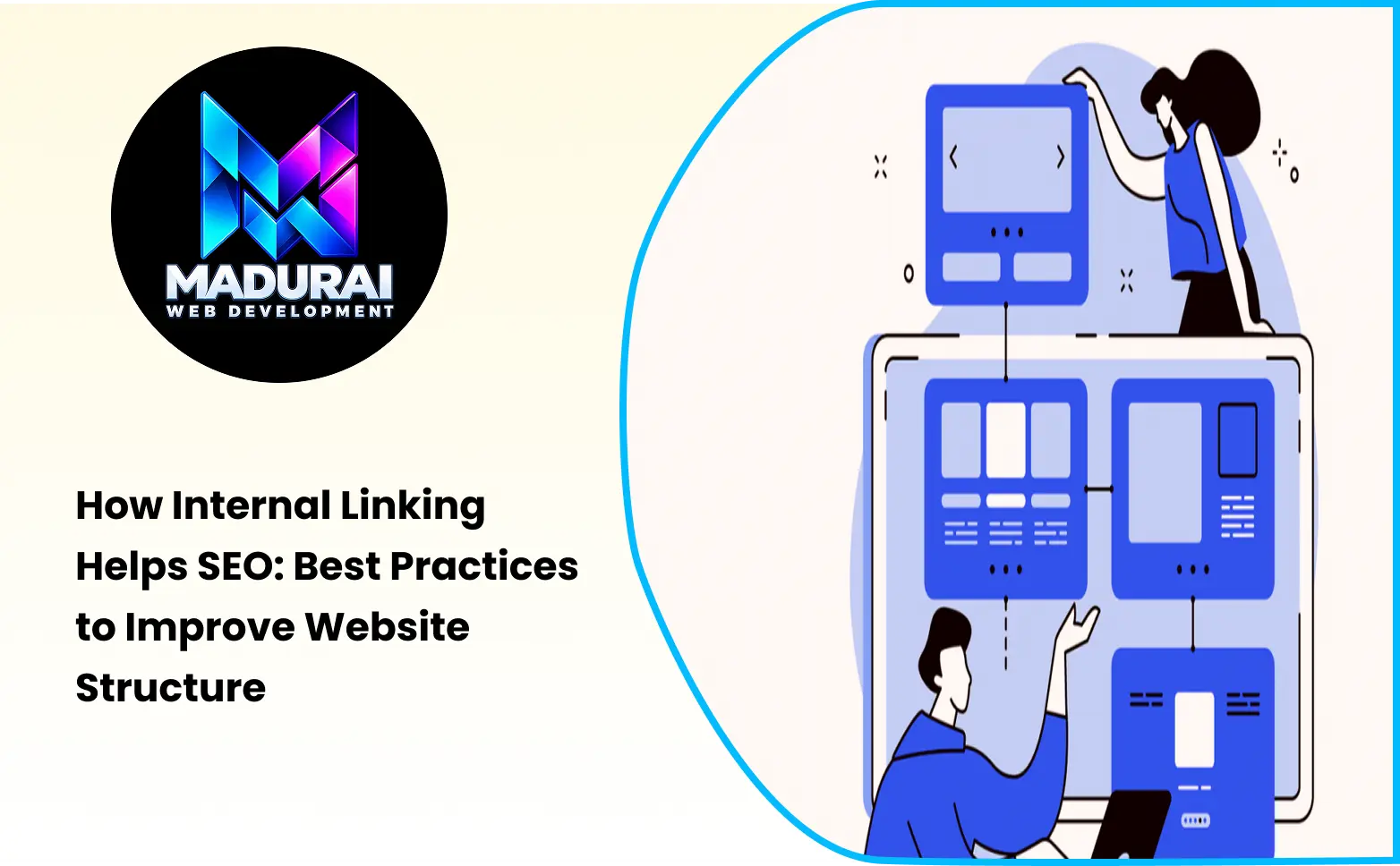
Website structure refers to how pages are organised and connected within a website. A clear structure helps both visitors and search engines understand the relationship between different sections.
A good internal linking strategy creates logical connections between related pages.
For example:
- Homepage → Main service pages
- Main service pages → Individual service pages
- Blog articles → Related service pages
- Main blog categories → Related blog posts
- Product categories → Individual product pages
This structure helps visitors move between important sections without confusion.
A well-organised website architecture also makes it easier for search engines to understand which pages are most important.
4. Best Internal Linking Practices for Better SEO
Adding links randomly does not improve SEO. Every internal link should have a clear purpose and provide value to visitors.
Use Relevant Anchor Text
Anchor text is the clickable text used in a hyperlink. It helps visitors and search engines understand what the linked page is about.
For example, instead of using generic text such as "click here", use descriptive anchor text such as "website development services" when linking to a relevant service page.
Make sure the anchor text accurately describes the destination page.
Link to Relevant Pages
Always connect pages that share a meaningful topic or search intent. For example, an article about website speed optimisation can link to a related website performance service or technical SEO guide.
Avoid adding unrelated links just to increase the number of internal links.
Create Topic Clusters
Topic clusters are groups of related content connected through internal links.
For example, an SEO topic cluster may include:
- What Is SEO?
- On Page SEO Techniques
- Technical SEO Guide
- Keyword Research Guide
- Internal Linking Best Practices
- SEO Content Strategy
A main SEO guide can link to these supporting articles, while supporting articles can link back to the main guide where relevant.
This approach helps create a connected content structure.
Link to Important Pages from Relevant Content
Identify the pages that are important to your business. These may include service pages, product pages, landing pages, and important informational resources.
Add links to these pages from relevant blog posts and other website content.
This helps visitors discover your main offerings while supporting your overall SEO strategy.
Avoid Broken Internal Links
Broken links lead visitors to pages that no longer exist or return errors. They can create a poor user experience and make website navigation difficult.
Regularly check your website for broken internal links. Update outdated URLs, correct incorrect links, and redirect permanently moved pages where appropriate.
Use Natural and Descriptive Links
Internal links should fit naturally into your content. Avoid adding too many links to the same paragraph or repeating identical anchor text unnecessarily.
Focus on providing useful connections that help readers understand the topic.
5. Common Internal Linking Mistakes to Avoid
Even websites with good content can have internal linking problems. Avoid these common mistakes:
- Adding irrelevant links: Linking unrelated pages does not provide meaningful value to visitors.
- Using too many links: Excessive links can make content difficult to read and navigate.
- Using generic anchor text: Repeated phrases such as "read more" do not clearly describe the destination page.
- Ignoring important pages: Important service and category pages should not remain disconnected from relevant website content.
- Leaving broken links: Outdated URLs can interrupt the visitor journey.
- Creating orphan pages: These are pages with no internal links pointing to them, making them harder for visitors and search engines to discover.
- Over-optimising anchor text: Repeating exact-match keywords unnaturally can make content look spammy.
A balanced internal linking approach is more useful than simply increasing the number of links.
6. How to Create an Effective SEO Internal Linking Strategy
A proper SEO internal linking strategy starts with understanding your existing website structure and identifying opportunities to connect related pages.
Follow these steps:
Step 1: Identify Your Important Pages
List the main pages you want visitors to discover. These may include your homepage, service pages, product pages, category pages, and key blog articles.
Step 2: Review Your Existing Website Content
Go through your published blog posts and service pages. Identify opportunities to connect related topics through relevant internal links.
Step 3: Find Relevant Anchor Text
Choose natural phrases within your content that accurately describe the destination page. Make sure the linked page satisfies the visitor's expectations.
Step 4: Connect Related Content
Create links between supporting blog posts, main topic pages, and relevant service pages. This helps establish a logical content relationship.
Step 5: Check Your Website Navigation
Make sure important pages are accessible through your website navigation, category pages, breadcrumbs, or relevant contextual links.
Step 6: Monitor Internal Linking Performance
Use tools such as Google Search Console and website crawling tools to identify indexing issues, broken links, and pages that need better internal linking.
Review your website regularly and update links whenever you publish new content or change existing URLs.
7. Internal Linking vs External Linking: What Is the Difference?
Internal linking and external linking are both important parts of SEO, but they serve different purposes.
| Internal Linking | External Linking |
|---|---|
| Connects pages within the same website | Connects your website to another website |
| Helps visitors explore your website | Provides additional information from other sources |
| Helps search engines discover website pages | Helps provide context and useful references |
| Supports website structure | Connects your content with relevant external resources |
| Helps distribute internal link equity | Can direct users to authoritative external information |
Both types of links can improve the usefulness and quality of your website content when used appropriately.
8. How Many Internal Links Should a Website Have?
There is no fixed number of internal links required for every webpage. The ideal number depends on the length of the content, the topic, and the number of relevant pages available.
A short article may need only a few useful internal links, while a detailed guide may naturally include more.
Instead of focusing on a specific link count, consider these points:
- Add links where they provide useful additional information.
- Prioritise important and relevant pages.
- Avoid unnecessary links within the same paragraph.
- Make sure every link works correctly.
- Use descriptive anchor text.
The main goal is to make your website easier to navigate while helping search engines understand its content.
9. Tools to Check and Improve Internal Linking
You can use different SEO tools to review your website's internal linking structure and identify opportunities for improvement.
Google Search Console
Google Search Console provides an internal links report that helps you understand which pages receive internal links and how your website pages are connected.
Screaming Frog SEO Spider
Screaming Frog can crawl your website and identify internal links, broken URLs, redirect chains, orphan-page opportunities when combined with sitemap or analytics data, and other technical SEO issues.
Ahrefs
Ahrefs offers website audit and site structure features that can help identify internal linking opportunities and analyse how pages are connected.
Semrush
Semrush provides site audit and internal linking reports that can help identify pages with internal linking issues and suggest improvements.
Using these tools regularly can help you maintain a healthy website structure.
10. Conclusion
Internal linking is an essential part of a successful SEO strategy. It helps visitors navigate your website, supports search engine crawling, distributes link equity, and creates meaningful connections between related pages.
By using relevant anchor text, connecting related content, fixing broken links, and creating a logical website structure, you can improve the overall performance of your website.
Remember that effective internal linking is not about adding as many links as possible. It is about creating useful connections that help visitors find the information they need and help search engines understand your website.