
WooCommerce Development in Madurai
Madurai's retail and wholesale markets have always moved on relationships and reputation. The shift to online selling does not change that. A textile trader in East Masi Street, a Sungudi saree retailer near the temple, or a jasmine exporter sending consignments to Chennai and abroad still depends on customers trusting the business behind the screen.
WooCommerce gives you control over that trust. Your product catalogue, your payment rules, your delivery terms, and your customer records live on a platform you own. There is no monthly marketplace commission eating into margins that are already tight in wholesale trade.
The work is not simply installing WordPress and activating a plugin. Madurai buyers browse on mobile, often on patchy connections. Many expect cash on delivery for first orders. GST invoicing has to be correct. Shipping rules for local delivery inside Madurai city are different from courier dispatch to other districts. These are the details that determine whether a store actually sells or just exists.
If you are evaluating WooCommerce development services in Madurai, the conversation should start with your products, your buyers, and how you currently handle orders—not with a template selection.
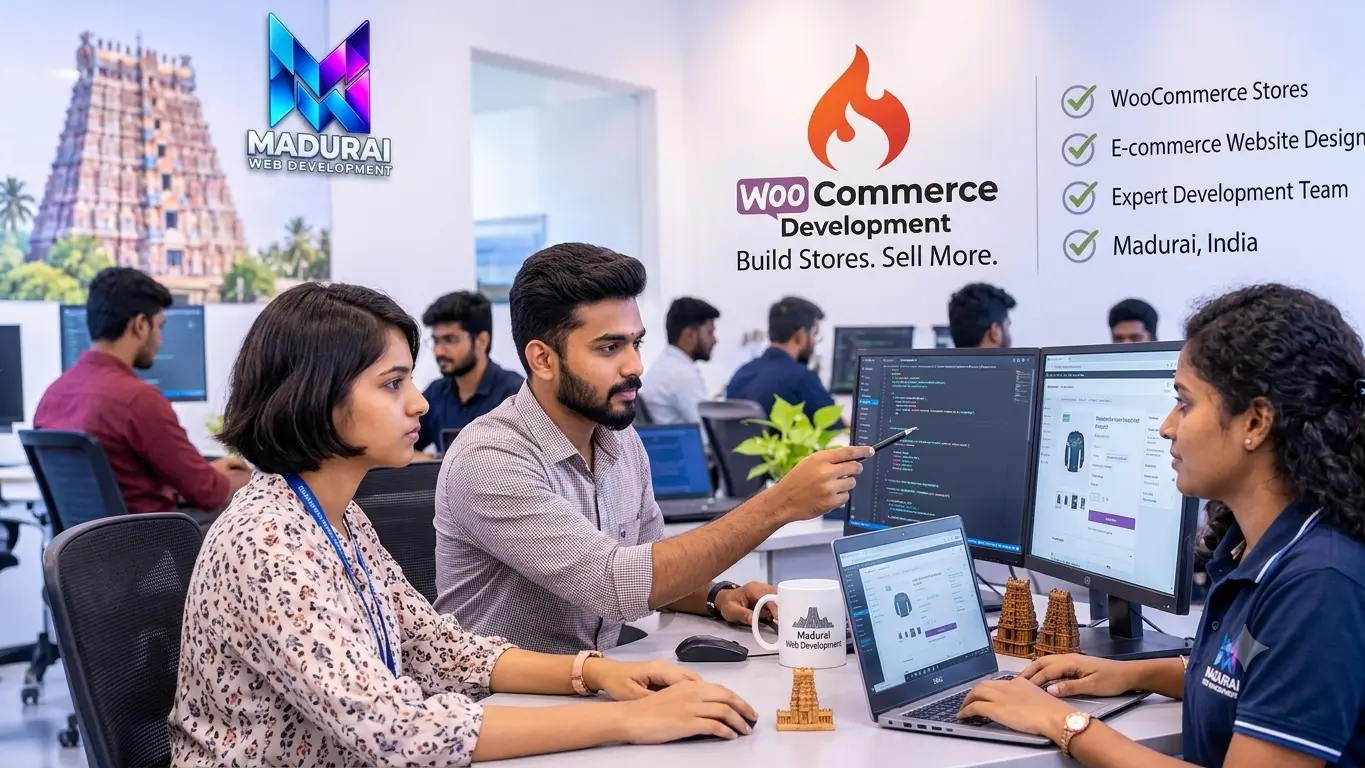
WooCommerce Development Services in Madurai
What a Store Actually Needs Before It Goes Live
A clothing retailer with size and colour variations needs a different product setup from a wholesale fabric supplier selling by metre or bundle. A jasmine exporter shipping perishable goods has different delivery constraints from a home appliances dealer offering installation. The service list below reflects the work that changes based on what you sell.
New WooCommerce Store Setup
This covers the foundation: WordPress installation on reliable hosting, WooCommerce configuration, essential pages (shop, cart, checkout, my account, policies), and a product structure that matches how customers actually browse your catalogue.
For a Madurai store, that often means planning for Tamil-English product names, category pages that work on a mid-range Android phone, and a checkout flow that does not force account creation before payment.
Custom WooCommerce Development
Standard WooCommerce handles simple and variable products well. It does not automatically handle wholesale tier pricing, minimum order quantities for fabric bundles, or custom order fields for tailoring measurements.
Custom development starts with reviewing what the existing setup already does. Many requirements can be solved with configuration or a well-supported extension. Writing new code should be the last option, not the first.
WooCommerce Website Design
Store design is not decoration. It is the sequence of decisions a customer makes: finding a category, comparing products, checking delivery terms, choosing a payment method, and confirming the order.
The layout should make product information readable without zooming, keep the cart accessible, and display prices and delivery charges clearly before the customer reaches checkout. Mobile behaviour is not an afterthought—it is the primary design target for most Madurai retailers.
Product Catalogue and Variation Setup
WooCommerce supports simple, variable, grouped, and downloadable products. A saree store might need colour and fabric variations. A hardware supplier might need size and grade attributes. A wholesale fabric trader might need metre-based pricing with quantity breaks.
The catalogue structure should be planned before products are imported. Reorganising hundreds of products after launch is slower and more expensive than getting categories, attributes, and variation logic right at the start.
WooCommerce Plugin Integration
Plugins extend what WooCommerce can do: payment gateways, shipping calculators, GST invoices, product filters, abandoned cart recovery, and more. The risk is installing too many overlapping extensions and creating conflicts that break checkout.
Each plugin should have a clear purpose. Compatibility with your WordPress and WooCommerce versions should be checked before installation, not after something stops working.
WooCommerce Maintenance and Support
A live store changes constantly. Products are added, prices update, plugins release security patches, and WordPress core receives updates. Any of these can affect checkout behaviour without warning.
Maintenance covers backups, update testing, checkout verification, error investigation, and performance checks. The frequency should match order volume—a store processing daily orders needs more frequent checks than one with occasional sales.
What Should Be Decided Before Building a WooCommerce Store?
The Configuration Choices That Affect Everything After Launch
Most store problems that appear after launch trace back to decisions that were skipped during planning. Payment rules, stock behaviour, delivery charges, and order notifications all interact. Getting them right early is cheaper than fixing them later.
How Products Should Be Grouped and Found
A customer looking for a cotton saree under ₹1,500 should not have to scroll through every product in the store. Categories, attributes (fabric, colour, occasion), and filters should reflect how buyers in your segment actually search.
For Madurai textile retailers, that often means category structures built around fabric type and price range, not just "sarees" and "other products."
Pricing Rules, Discounts, and Tax Display
Decide whether prices display with or without GST, whether wholesale customers see different rates, and how coupon rules interact with sale prices.
Tax configuration for a Madurai store needs to account for intra-state CGST/SGST versus inter-state IGST. This is not a setting to guess at—it should be confirmed with your accountant before the store opens.
Stock Tracking and Backorder Behaviour
Decide whether stock is tracked at the product level, the variation level (size/colour), or through an external inventory system. A fabric retailer selling by metre has different stock logic from a boutique selling fixed-size garments.
When a product goes out of stock, does the store hide it, show it as unavailable, or accept backorders? The answer depends on whether you can fulfil delayed orders reliably.
Payment Methods and Failure Handling
UPI is now the default payment expectation for many Indian online buyers. Cards and net banking matter for higher-value orders. Cash on delivery remains important for first-time customers who have not yet built trust with your store.
The gateway you choose (Razorpay, Cashfree, PayU, or another provider) depends on your merchant eligibility, transaction volume, and settlement preferences. Payment failure handling should be tested before launch—not discovered during a customer complaint.
Delivery Zones, Charges, and Local Pickup
Delivery inside Madurai city may cost differently from courier dispatch to other districts or states. Weight-based shipping, free-delivery thresholds, and local pickup options all need to be configured clearly so customers know the total cost before checkout.
If you use a courier integration (Shiprocket or a direct provider API), confirm that the plugin supports your courier partners and serviceable pin codes.
Who Handles Orders and How Customers Are Notified
Decide who receives the new-order email, who packs and dispatches, and what status messages customers receive at each stage. A clear order workflow prevents the "I ordered but heard nothing" problem that drives customers away.
WhatsApp order notifications are widely expected by Indian buyers. A WooCommerce store can be configured to send order updates through compatible plugins, but the message content and timing should be planned.
Creating a Shopping Experience That Works for Madurai Buyers
Mobile-First, Trust-First, and Clear About Delivery
The majority of online browsing in Tamil Nadu happens on smartphones, often on connections that are not always fast. A store that looks impressive on a desktop but loads slowly or has tiny tap targets on mobile loses sales before the customer even sees the product.
Navigation That Works on a Small Screen
Category menus should be reachable with one thumb. Filters should not require pinch-zooming. The back button should return to the previous product list, not reset the entire catalogue.
Product Pages That Answer Buying Questions
Fabric composition, dimensions, care instructions, and available colours should be visible without opening a separate tab. For textile products, a clear photograph of the actual pattern matters more than a lifestyle image.
Checkout Without Forced Account Creation
Many buyers abandon when asked to create a password before paying. Guest checkout should be enabled unless there is a specific reason (subscriptions, wholesale pricing) that requires an account.
Delivery Charges Visible Before Payment
Surprise shipping costs at the final step are a common cause of cart abandonment. Shipping estimates should appear on the cart page, ideally based on the customer's entered pin code or selected zone.
Clear Return and Exchange Terms
A returns policy written in plain language, linked from the product page and checkout, reduces hesitation. For clothing and textiles, specify whether exchange is available for size issues and who pays return shipping.
Order Confirmation That Reassures
The confirmation page and email should state what was ordered, the total paid, the expected dispatch timeline, and how to contact the store. A WhatsApp confirmation message adds a layer of trust that email alone does not provide for many Indian buyers.
WooCommerce Payment Gateway and Shipping Integration for Indian Stores
UPI, COD, GST Invoicing, and Courier Rules That Actually Work
Payment and shipping configuration is where many WooCommerce projects stall. The plugin exists, but the merchant account is not approved. The courier integration works for some pin codes but not others. The GST invoice format does not match what the accountant expects. These are solvable problems, but they need to be addressed during development, not after launch.
UPI and Card Payment Gateways
Razorpay, Cashfree, and PayU are commonly used in India because they support UPI, cards, net banking, and wallets through a single integration. The right choice depends on your transaction volume, settlement timeline preference, and whether you need features like payment links or subscription billing.
Cash on Delivery Rules
COD can be enabled for specific pin codes, order value ranges, or product categories. Many Madurai retailers restrict COD to orders below a certain amount or to local delivery zones to reduce risk. These rules are configurable in WooCommerce with the right setup.
Shipping Zones and Rate Calculation
A store can define zones for Madurai city, other Tamil Nadu districts, and the rest of India, with different rates for each. Flat rate, free shipping above a threshold, and weight-based calculation are all standard options. For stores using courier APIs, real-time rates can be displayed at checkout.
GST Invoice Generation
WooCommerce does not generate GST-compliant invoices out of the box. A compatible invoicing plugin can produce invoices with GSTIN, HSN codes, and the correct tax breakdown. The invoice format should be reviewed with your accountant before the store goes live.
Courier and Tracking Integration
Plugins for Shiprocket, Delhivery, and other courier services can generate labels, calculate rates, and push tracking numbers back to the order. The integration should be tested with actual shipments before relying on it for live orders.
Payment Failure and Refund Handling
Not every payment succeeds. The store should record failed transactions, allow the customer to retry without re-entering the entire order, and provide a clear path for refunds when an order is cancelled. These workflows should be tested with the gateway's test mode before launch.
Custom WooCommerce Development for Requirements Standard Plugins Cannot Handle
When Configuration Is Not Enough, and When It Is
Most stores do not need custom code. WooCommerce's core features plus a small number of well-chosen extensions cover the majority of retail and wholesale requirements. Custom development becomes relevant when the business logic is genuinely different from what standard products and orders assume.
Wholesale Pricing and Customer Groups
A fabric wholesaler may need different price lists for retailers, tailors, and export buyers. WooCommerce does not handle tiered customer-group pricing natively. This can be addressed with a wholesale plugin or custom role-based pricing logic.
Measurement and Personalisation Fields
Tailoring and boutique orders often need fields for measurements, fabric preferences, or delivery instructions. These fields should be added to the product or checkout page and included in the order confirmation and admin view.
Minimum Order Quantities and Bundle Rules
Wholesale fabric is often sold in minimum quantities (metres or bundles). WooCommerce can enforce minimum quantities per product or per order with the right extension or a small custom rule.
External Inventory or ERP Synchronisation
If stock is already managed in Tally, an ERP, or a warehouse system, the WooCommerce store may need to sync product availability and prices. This requires an API connection and a clear rule about which system is the source of truth.
Subscription or Repeat Order Products
Stores selling consumables or recurring services may need subscription billing. WooCommerce Subscriptions is the standard commercial option, but it requires careful configuration of renewal payments, failed payment handling, and cancellation rules.
Custom Checkout Fields for Local Requirements
Some stores need a delivery landmark field for Madurai addresses, or a preferred delivery time slot, or a GST number field for business buyers. These can be added without modifying WooCommerce core, using the available checkout field hooks.
Plugin or Custom Code: How to Decide
A plugin is usually the better choice when the requirement is common (shipping calculation, GST invoices, product filters) and the plugin is actively maintained. Custom code makes sense when the requirement is specific to your business and no reliable plugin exists—or when an existing plugin creates conflicts that cannot be resolved.
The decision should account for maintenance. Custom code needs someone to update it when WooCommerce changes. A plugin needs someone to monitor its updates and renew its licence. Both have ongoing costs; the question is which one is lower for your situation.
WooCommerce Plugin Integration: What to Install and What to Avoid
Fewer, Better Plugins Beat a Large Unstable Stack
A typical WooCommerce store uses between 15 and 30 plugins. Each one adds functionality, but each one also adds code that can conflict with another plugin, slow down the site, or introduce a security vulnerability when it is not updated.
Payment Gateway Plugins
Use the official gateway plugin from your payment provider where possible. Third-party gateway plugins may work, but they often lag behind WooCommerce updates. Test the payment flow, including failure and refund scenarios, before launch.
Shipping and Courier Plugins
If you use Shiprocket or a similar aggregator, the plugin should support rate calculation, label generation, and tracking sync. Confirm that the plugin works with the courier partners you actually use for Madurai pickups and Tamil Nadu deliveries.
GST and Invoice Plugins
The invoice plugin should produce a document that your accountant accepts. Check whether it supports HSN codes, GSTIN display, and the tax breakdown required for your business type. A plugin that produces a pretty invoice but wrong tax totals is worse than no plugin.
Product Filter and Search Plugins
For a catalogue with more than a few dozen products, filtering by attributes becomes essential. The filter plugin should work with your theme and product attributes without duplicating queries or slowing down category pages.
Backup and Security
A backup plugin that runs automatically and stores copies off-server is non-negotiable. Security plugins can help, but the basics matter more: strong passwords, limited admin access, regular updates, and a firewall at the hosting level.
Plugins to Avoid
Avoid plugins that have not been updated in over a year, plugins with very few active installations and no support presence, and plugins that promise to replace multiple other plugins with a single "all-in-one" solution. The all-in-one approach often creates more problems than it solves.
WooCommerce Speed, Performance, and Search Visibility
A Store That Loads Slowly Loses Customers Before They See a Product
Product images are the biggest performance culprit in most WooCommerce stores. A single saree photograph taken on a phone can be 4–6 MB. When a category page loads twenty products, the page becomes unusable on a slow connection.
Performance work is not separate from SEO. Google uses Core Web Vitals as a ranking signal. More importantly, customers leave when a page takes more than a few seconds to respond.
Image Compression and Correct Sizing
Product images should be compressed and served at the size they display. A 2000-pixel image displayed at 400 pixels wastes bandwidth and slows loading. WebP format reduces file size without visible quality loss for most product photography.
Caching That Respects Cart and Checkout
Page caching speeds up category and product pages, but cart, checkout, and my-account pages must be excluded. A misconfigured cache can show one customer's cart to another—a problem that is both embarrassing and a security concern.
Plugin Load Review
Each active plugin adds CSS, JavaScript, and sometimes database queries. A plugin audit identifies extensions that are installed but not actually used, or extensions that load assets on every page when they are only needed on specific pages.
Product Page Content for Search
Every product page should have a unique title, description, and at least a few sentences of original content. Duplicate manufacturer descriptions across hundreds of products give search engines little reason to rank any of them.
Structured Data for Products
Product schema markup helps search engines understand price, availability, and reviews. WooCommerce generates some of this automatically, but it should be checked for accuracy—especially price and stock status, which can drift if the store is not maintained.
Mobile Checkout Testing
Test the complete purchase flow on an actual phone, not just a desktop browser resized to mobile width. Tap targets, keyboard behaviour, and payment redirects can behave differently on a real device.
Migrating to WooCommerce and Keeping an Existing Store Healthy
Moving From Another Platform, or Fixing a Store That Already Exists
Not every project starts from zero. A retailer may be moving from a marketplace-only presence to an independent store. A business may have an existing WooCommerce site that was built years ago and no longer reflects the current product range. In both cases, the work begins with understanding what already exists.
Reviewing the Current Setup
Before changing anything, review the WordPress version, active theme, plugin list, hosting environment, and the current checkout flow. Identify what is working and what is causing problems. A complete rebuild is not always necessary.
Product and Order Data Migration
Migration involves products, categories, attributes, customers, and order history. The source platform determines what can be exported. Product images often need to be re-imported and re-linked. Order history may not transfer cleanly and should be documented as part of the migration plan.
URL Redirects After Migration
Old product and category URLs should redirect to their new equivalents. Without redirects, search engine rankings and customer bookmarks break. The redirect map should be prepared before the new store goes live.
Plugin and Theme Compatibility After Updates
When WordPress or WooCommerce releases a major update, plugins may need corresponding updates. A staging site should be used to test updates before applying them to the live store, especially if custom code is involved.
Scheduled Backups and Recovery Testing
Backups are only useful if they can be restored. A backup schedule should be configured, and a restore should be tested periodically to confirm that the backup files are complete and usable.
Ongoing Store Checks
A maintenance routine should include checking that checkout works, that payment notifications are being received, that stock levels are accurate, and that the store loads within an acceptable time. These checks catch problems before customers report them.
WooCommerce Development Cost in Madurai: What Actually Drives the Price
A Quotation Should Explain the Work, Not Just the Total
Two WooCommerce projects can look similar on the surface and differ significantly in cost. The difference is usually in the details: how many product variations exist, whether payment and shipping need custom rules, whether data is being migrated, and how much testing is required before launch.
A useful quotation should list what is included and what is not. "WooCommerce development: ₹X" is not enough information to compare proposals.
Product Catalogue Size and Complexity
A store with 50 simple products requires less setup than one with 500 products across multiple categories, each with size, colour, and fabric variations. Data import, attribute configuration, and image handling scale with catalogue size.
Design Scope
A store built on a customised commercial theme costs less than one with a fully custom front-end design. The difference is not just appearance— custom templates require more development and testing time.
Custom Functionality
Wholesale pricing rules, minimum order quantities, custom checkout fields, and external integrations add development time. Each custom feature should be specified in the quotation with a clear description of the behaviour.
Payment and Shipping Integrations
A standard Razorpay integration is faster to configure than a custom payment flow. Courier integration with live rate calculation and label generation requires more setup and testing than flat-rate shipping.
Data Migration
Moving products, customers, and order history from another platform adds time for export, cleanup, import, and verification. The source platform's export capabilities determine how much manual work is required.
Testing and Launch Support
Checkout testing, mobile verification, payment failure scenarios, and launch-day monitoring are part of the work. A quotation that does not include testing is incomplete.
How to Evaluate a WooCommerce Development Company in Madurai
Questions That Reveal Whether a Proposal Is Complete
Many agencies can install WooCommerce and configure a theme. Fewer can explain how GST invoices will be generated, what happens when a payment fails, or who updates the store when WordPress releases a security patch. The questions below help separate capability from presentation.
Ask to See Live Stores, Not Screenshots
A screenshot shows what a store looks like. A live URL shows how it behaves. Browse the store on a phone. Add a product to the cart. Check the checkout flow. Look at the product pages and category structure.
Ask Which Plugins Will Be Used and Why
The proposal should name the paid and free plugins required for payment, shipping, invoicing, and any other functionality. Ask who pays for plugin licences and what happens if a licence expires.
Ask How Payment and Shipping Will Be Tested
The answer should include test transactions, failure scenarios, refund handling, and verification that shipping charges calculate correctly for different zones. "We will test it" is not a sufficient answer.
Confirm Ownership of Accounts and Code
The domain, hosting account, WordPress admin access, and any custom code should belong to you. The agency should not retain ownership or control after the project is complete.
Ask About Backup and Security Practices
A professional setup includes automated backups, restricted admin access, and a plan for applying security updates. Ask how the store will be protected and how a restore would be performed if needed.
Get Post-Launch Support in Writing
Clarify what is covered after launch: bug fixes, update assistance, and response time. A support period of 30 days is common for bug fixes. Ongoing maintenance is usually a separate arrangement.
Frequently Asked Questions About WooCommerce Development in Madurai
-
The work covers store planning, WordPress and WooCommerce setup, product catalogue configuration, payment gateway integration, shipping rules, GST invoicing setup, theme customisation, plugin selection, checkout testing, and launch support. For Madurai businesses, it also includes configuring COD rules, local delivery zones, and mobile-first layouts for buyers who primarily browse on phones.
-
A straightforward store with a small catalogue and standard payment and shipping setup can be ready in a few weeks. A larger catalogue with variable products, custom pricing rules, data migration, and multiple integrations takes longer. The timeline should be based on the specific scope, not a generic estimate.
-
Yes. Payment gateways like Razorpay, Cashfree, and PayU support UPI, cards, net banking, and wallets through WooCommerce plugins. Cash on delivery is a built-in WooCommerce payment method that can be restricted by location, order value, or product category. The available options depend on your merchant account approval with the payment provider.
-
WooCommerce does not produce GST invoices by default. A compatible invoicing plugin can be configured to generate invoices with your GSTIN, HSN codes, and the correct CGST/SGST or IGST breakdown. The invoice format should be reviewed with your accountant before the store processes live orders.
-
Yes. WooCommerce provides an admin dashboard where you can add and edit products, update prices, manage stock, view orders, and process refunds. Most store owners handle day-to-day product management themselves after a brief walkthrough. More technical tasks, such as plugin updates or troubleshooting, are usually handled through a maintenance arrangement.
-
WooCommerce can connect with courier aggregators like Shiprocket and with individual courier APIs through compatible plugins. The integration can calculate shipping rates, generate labels, and sync tracking numbers back to the order. The specific features depend on the courier partner and plugin.
-
Cost depends on catalogue size, design requirements, custom functionality, payment and shipping integrations, data migration, and testing scope. A simple store and a complex wholesale platform are not comparable. A quotation should itemise what is included so you can evaluate it against other proposals.
-
Migration is possible from platforms that provide product and customer data exports. The process involves exporting products, categories, customers, and order records, cleaning the data, importing into WooCommerce, and setting up redirects for old URLs. The source platform's export capabilities determine how much data can be transferred automatically.
-
WooCommerce suits small retailers who want to manage their own products and orders without paying marketplace commissions. The trade-off is that the store owner is responsible for hosting, updates, and maintenance. For a retailer with a manageable catalogue and a willingness to handle basic store administration, it is often a practical choice.
-
Most projects include a short post-launch period for bug fixes. Ongoing maintenance—covering updates, backups, checkout checks, and performance monitoring—is usually a separate arrangement. The specific tasks, response time, and frequency should be agreed in writing before the project begins.
WooCommerce Development for Businesses Across Madurai
Local Knowledge Matters for Local Stores
Madurai's commercial geography is specific. Textile wholesale clusters around East Masi Street and nearby lanes. Retail jewellery and saree shops concentrate near the temple and in commercial areas like Tallakulam and KK Nagar. Smaller traders operate from Anna Nagar, Simmakkal, Goripalayam, and along Bypass Road. Each location has its own customer expectations and delivery patterns.
A store designed for a wholesale fabric trader who serves other businesses needs different pricing visibility and order rules from a boutique selling directly to individual customers. A jasmine exporter needs packaging and dispatch information that a home appliances dealer does not.
These differences are not cosmetic. They affect product page structure, checkout fields, shipping configuration, and what information customers need before they place an order.
If your business operates in Madurai and you are planning a new WooCommerce store or improving an existing one, the starting point is a clear description of what you sell, who buys it, and how you fulfil orders today.
Planning a WooCommerce Store for Your Madurai Business?
Start With What You Sell and How You Sell It
The most useful first conversation is not about themes or plugins. It is about your products, your customers, and the way orders currently move through your business.
If you are evaluating WooCommerce development in Madurai, share your catalogue size, the payment methods you want to offer, your delivery zones, and any specific requirements such as wholesale pricing or GST invoicing. That information shapes a realistic plan.